
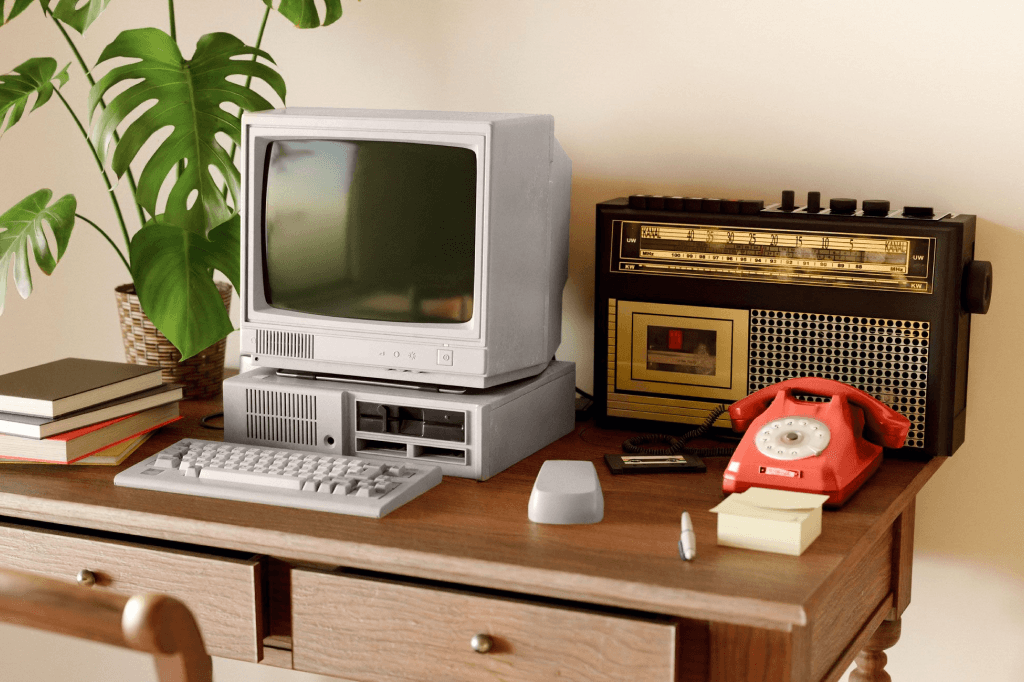
Let’s start by saying that old technology isn’t necessarily bad technology. Although legacy technology can create security and operational risks and is often frustrating to use, replacing it isn’t always the answer.
The first step in deciding what to do about any legacy technology you’re still using is understanding what you have, how important it is to your business, the degree of risk it presents, and what would happen if it failed.
Legacy technology isn’t always obvious
The Australian Signals Directorate (ASD) says legacy IT presents ‘significant and enduring risks’ and can increase both the likelihood and impact of a cyber incident.
Legacy technology can take many forms – and it’s easy to forget you have it unless you have done a full audit. It might be an older server running a business-critical application, specialist software running quietly and efficiently but not updated in years, or equipment built around an operating system that’s no longer supported.
Can old still be OK?
One of our customers has a specialist impact label printer connected to a Windows 98 computer. The manufacturer no longer supports the machine or its software, but the printer still performs a specific job the business relies on. And Microsoft stopped supporting Windows 98 back in July 2006 – over 20 years ago.
On the face of it, there are several obvious points of weakness: a Windows 98 computer still operating in a business, and a decades-old printer the business relies on.
In this case, however, the system is completely air-gapped. It’s physically separated from the internet and doesn’t need to connect to the corporate network. So while its age creates an operational risk if the hardware fails, it doesn’t present the same security risk as an unsupported system connected to the rest of the business.
Replacing it would also mean replacing specialist equipment at a cost the customer doesn’t currently consider justified. So, for now, the business understands the risk and has chosen to accept it. And knowing that it’s a matter of ‘when, not if’, we have a plan in place for when it does fail.
This elderly printer is a good example of why we don’t believe there’s one simple rule for managing legacy technology.
Yes, older technology can create risk. But the right response depends on what that technology does, what it connects to, and how important it is to the business.
What do we mean by legacy technology?
Legacy technology isn’t limited to old computers and servers. ASD defines legacy technology simply as technology that’s no longer supported by its manufacturer, developer, or vendor.
So, it can include manufacturing machinery with embedded operating systems, security camera systems, smart sensors, temperature controls, building management systems and other equipment that’s no longer maintained by its original manufacturer.
Legacy software can present similar problems. When we take responsibility for an existing IT environment, we sometimes encounter scripts and automations created years earlier, with little or no documentation explaining what they do. Over time, a temporary fix designed to solve one problem can become an important part of the way everything else operates.
The difficulty is that, from the customer’s point of view, the technology may be doing its job perfectly well. So why change it?
“If it’s not broken, why should I fix it?”
This is a question we hear frequently, and it’s understandable. Replacing specialist equipment or software costs money. It can disrupt operations, require people to learn new processes, and, in some cases, force a business to replace something that still meets its requirements.
The answer isn’t always to replace it. Instead, we start with another question: What happens if it stops working?
If an old server fails, can you restore it? If specialist software becomes unusable, is there an alternative? If a machine stops working, does one part of the business slow down, or does the whole operation stop?
Those questions help turn a technical problem into a business risk that can be properly assessed and managed.
For example, one of our customers had an older machine performing a critical role in its operation. If that machine failed, the consequences for the wider business could be significant. The machine was so old that a straightforward replacement or conventional backup wasn’t available.
Katana developed a specific disaster recovery response for the system. We created a base image that could be run in a virtualised environment if the physical system failed. It doesn’t remove every risk associated with the equipment, but it gives the customer a defined response if the worst happens.
Sometimes that is the most realistic approach: acknowledge the risk, reduce it where possible and have a plan for what happens next.
If you can’t update it, protect it
Security becomes particularly important when your legacy technology needs to connect to other parts of the business.
One customer operates around a dozen manufacturing machines with embedded Windows 7 systems (which Microsoft stopped supporting in January 2020). The machines and their embedded systems are managed by the equipment vendor, while Katana manages the underlying network.
Those systems can’t simply be treated like ordinary office computers. Instead, the manufacturing machines operate on a segregated network. This helps reduce the risk of a security incident affecting the organisation’s other production systems.
Depending on the system, additional measures can include network segregation and firewall rules. The objective is to reduce the exposure created by technology that can’t be patched or upgraded in the usual way.
But there comes a point when managing risk is no longer enough.
Knowing when replacement is the better option
Another customer of ours depended on an application written around 20 years ago by a single developer. The developer had long left the business, there was no source code, and the business had no clear way to rebuild the application.
Yet it was still needed.
Katana retired the old Windows server hosting the application and migrated the software to Azure infrastructure. Users could then continue accessing the application through a separate remote desktop environment.
That has extended the useful life of the software, but it doesn’t make the application a permanent solution: the time will come when the technology it relies on can no longer be supported. At that stage, our role will be to help the customer prepare for that transition rather than waiting until the application stops working.
We saw a similar issue with another business-critical system running Windows Vista (which went out of support in 2017). Although some of the risks could be reduced, it was impossible to separate it from the networks it needed to operate. And in that case, our recommendation was replacement.
The important part was that the customer now understood the risk and could investigate alternatives before being forced into an urgent decision by a system failure.
Why a well-laid plan is a game saver
Even when you know a system is approaching the end of its life, technology doesn’t always cooperate with your timetable.
One customer had already scheduled the migration of a legacy Exchange server when their hardware failed two weeks before the planned migration. Because the risk had been identified, the migration was already planned, and backups were available, we were able to bring the Microsoft 365 migration forward. The failure was still inconvenient, but it wasn’t an unknown problem requiring a solution from scratch.
That’s one of the most important parts of managing legacy technology.
You may not be able to eliminate every risk immediately. But if you know the risk exists, understand its potential impact, and have decided what you will do if something goes wrong, you’re in a much stronger position.
Should you keep it, secure it, or replace it?
There isn’t a universal answer. An unsupported computer in one business might present a significant cybersecurity risk. The same computer performing an isolated task elsewhere could be reasonably safe to keep operating.
The same principle applies when deciding where legacy systems should run. Moving something to the cloud isn’t automatically the answer. We consider the business requirements, technical requirements, risks and total cost of ownership before recommending whether a workload should remain on site, move to the cloud, or use a combination of both.
That’s why our work with a new customer always begins with a discovery process.
Before we start recommending changes, we assess the existing IT environment and identify both technical and operational risks. We also talk to the people who use the technology to understand what individual systems actually mean to the business.
An outdated operating system is a technical fact. But understanding whether losing that system would inconvenience five people for an hour or completely prevent the business from operating is what gives that fact context.
Start by knowing what you have
Legacy technology doesn’t automatically need replacing. But unsupported hardware, software and systems shouldn’t remain in your business simply because they’ve always worked. Sooner or later, their time will come. They will let you down.
Before it does, you need to know:
- What legacy technology you have
- What role it plays in your business
- What other systems it connects to
- Whether it can still be patched or supported
- What would happen if it failed
- Whether the risk can be reduced
- What your alternative is when it eventually reaches the end of its useful life
Once you’ve answered these questions, you can decide what happens next, rather than leaving the future of a critical system to chance.
Not sure what legacy technology is sitting within your IT environment?
Talk to the Katana team. We can help you identify the risks, understand their potential impact on your business, and decide which ones need action now and which ones can be managed over time.